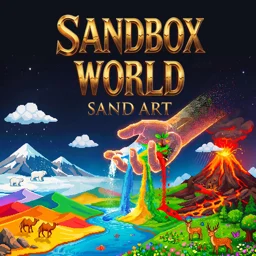
 Sandbox World: Sand Art
Sandbox World: Sand Art
More games like Sandbox World: Sand Art
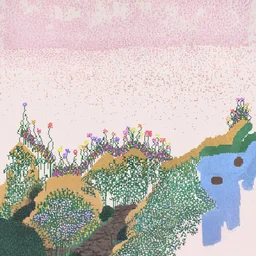 SandspielA falling-sand sandbox where 20 reactive elements let you build, burn, and paint.
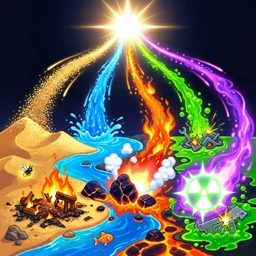 Sandbox: Particle WorldA 2D falling-sand physics sandbox where particles and materials interact freely.
 Hypper Sandbox3D physics sandbox to build cities, stage battles, and explore freely
 Art of Alchemy: Merge ElementsMerge fire, water, air, and earth to craft new elements and rare potions.
 SandtrixTetris meets sand physics: connect same-color grains left-to-right to clear.
Sandbox World: Sand Art is a falling-sand toy where every tap drops a new material onto the screen and the physics takes over from there. Sand pours down like a waterfall, water seeps and pools, lava burns whatever it touches, and seeds sprout into plants when the rain comes. It is free to play in the browser, with nothing to install.
There is no score and no clock. You pick a material, paint it onto the canvas, and watch the little world settle, spread, or catch fire. Then you change it.
Sandbox World: Sand Art at a glance
| Detail | Value |
|---|---|
| Genre | Simulation |
| Platform | Web browser (desktop & mobile) |
| Price | Free to play |
| Rating | 4.4/5 from 3,207 votes |
What kind of game is Sandbox World?
It is a 2D particle simulation. Hundreds of thousands of tiny grains move at once, each one obeying simple rules about gravity, heat, and what it sits next to. You are not solving levels or beating opponents. You drop sand, water, fire, plants, and animals, then watch how they push against each other. Pour water onto lava and it hardens. Drop seeds on wet soil and vegetation climbs across the screen. The whole point is cause and effect, and the screen never looks the same twice.
Painting materials onto the canvas
You build everything with one gesture: pick a tool, then click and drag (or swipe on touch) to lay material down. A left panel holds the tools and a brush-size slider; a right panel handles colors, backgrounds, pause, and clearing the canvas.
| Action | Desktop | Mobile |
|---|---|---|
| Place material | Left click and drag | Swipe with finger |
| Pick a tool | Click it in the left panel | Tap it in the left panel |
| Adjust brush size | Brush slider, left panel | Brush slider, left panel |
| Pause or resume | Right panel button | Right panel button |
| Clear the screen | Right panel button | Right panel button |
| Save a screenshot | Camera button | Camera button |
Every material and what it does
The tool list is the whole game. Each material behaves differently and reacts to the ones around it, so the order you place them in matters.
| Tool | What it does |
|---|---|
| Sand | Falls and piles up in grains, like a waterfall when poured |
| Water | Flows, seeps through sand, and pools at the bottom |
| Magma | Hot lava that burns and melts what it touches |
| Seed | Plant it on damp ground and it grows into vegetation |
| Rain | Falls from the top to water plants or cool things down |
| Snow | Falling snow that chills the area |
| Life | Spawns animals such as fish, butterflies, camels, and polar bears |
| Ball | Drops bouncing balls that knock through loose particles |
| Stone | Solid blocks that hold their shape |
| Wall | Immovable barrier to dam water or redirect lava |
| Eraser | Removes particles you no longer want |
Animals that move in on their own
The Life tool drops creatures into your world, and they go find the part of the scene that suits them. Fish swim in water you have poured, butterflies drift through open air, camels cross stretches of sand, and polar bears walk on snow. If you build the right habitat, the right animal settles into it. Take the water away and the fish have nowhere to go, so the landscape you paint decides who stays.
Things to try once the basics click
- Build a wall first, then pour water behind it to make a reservoir that holds.
- Drop magma, then make it snow or rain above it and watch the lava cool and harden.
- Scatter seeds on wet ground and add rain so plants climb up a sand mountain.
- Pour sand from a height to get the waterfall effect, then erase the base and watch it collapse.
- Make a desert with camels on one side and a snowfield with polar bears on the other.
- Use a smaller brush for fine detail and a larger one to fill big areas fast.
Is Sandbox World free and unblocked?
Yes. The game loads in any modern browser with no download, install, or sign-up, so it runs on a school or work machine wherever browser games are allowed. It works on desktop with a mouse and on phones, tablets, and Chromebooks by touch. When you make a scene you like, the camera button saves a screenshot and the gallery keeps your saved worlds so you can come back to them.
Why the simulation holds up
Most of the fun is watching a plan go sideways. You set up a tidy pond, then one stray drop of lava turns half of it to steam and the fish scatter. Because the materials react to each other instead of just sitting there, small changes ripple outward, and an open-ended toy like this rewards messing around more than following any rules. There is no losing, which is exactly why people keep poking at it.